ClashPulse
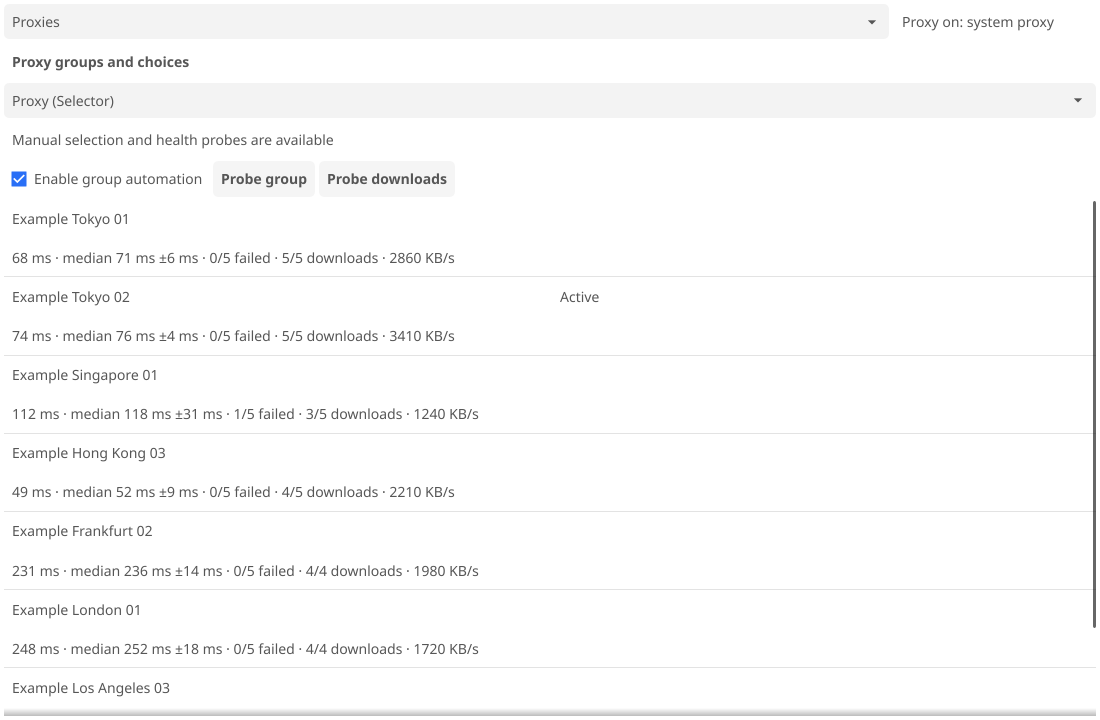
ClashPulse is a desktop client for Mihomo. It measures every node in the groups you automate and moves a group only when another node is measurably better. Every threshold is a setting.
It is one Go binary for Linux, macOS, and Windows with a GUI, a TUI, and a CLI. Mihomo is not bundled; ClashPulse runs it as a separate process.
Quick start
- Install ClashPulse and Mihomo, with
mihomoonPATH. - Run
./clashpulse. - Add an HTTPS subscription, refresh it, then activate it.
- Optionally run
./clashpulse tuiin a second terminal.
On Windows use .\clashpulse.exe. First start writes four config files to ~/.config/clashpulse on Linux. Next: usage.
How it behaves
- Switches use the median of a window of samples, never one fast sample, and need a win of
min_improvement. Cooldown and a stop when every candidate fails prevent flapping. See automatic switching. - One service per machine owns Mihomo and the monitor; the GUI, TUIs, and CLI are clients over local IPC.
- Config is four strict TOML files. A bad edit is a load error and the running config stays. See configuration.
- Subscription URLs travel over IPC only inside edit requests; snapshots and events carry the source host, never the URL or credentials. See privacy and security.
v0.1.1 is an unsigned pre-release, and ClashPulse is a working name. See the FAQ.